iToolPaw · PDF redaction for Windows and Mac New

DocHush
Automatic detection. Offline PDF redaction.
DocHush finds names, contact details, account numbers and other identifiers in your PDFs, lets you review every match, then saves a permanently redacted copy and checks it. Everything runs on your own Windows PC or Mac, and your documents are never uploaded.
- Local AI detection, including text on scanned pages
- You approve or reject every redaction
- Image-only export, verified after saving
Version 1.1.0 · 1,007 MB · macOS 12 or later (Apple Silicon)
For your Windows or Mac computer
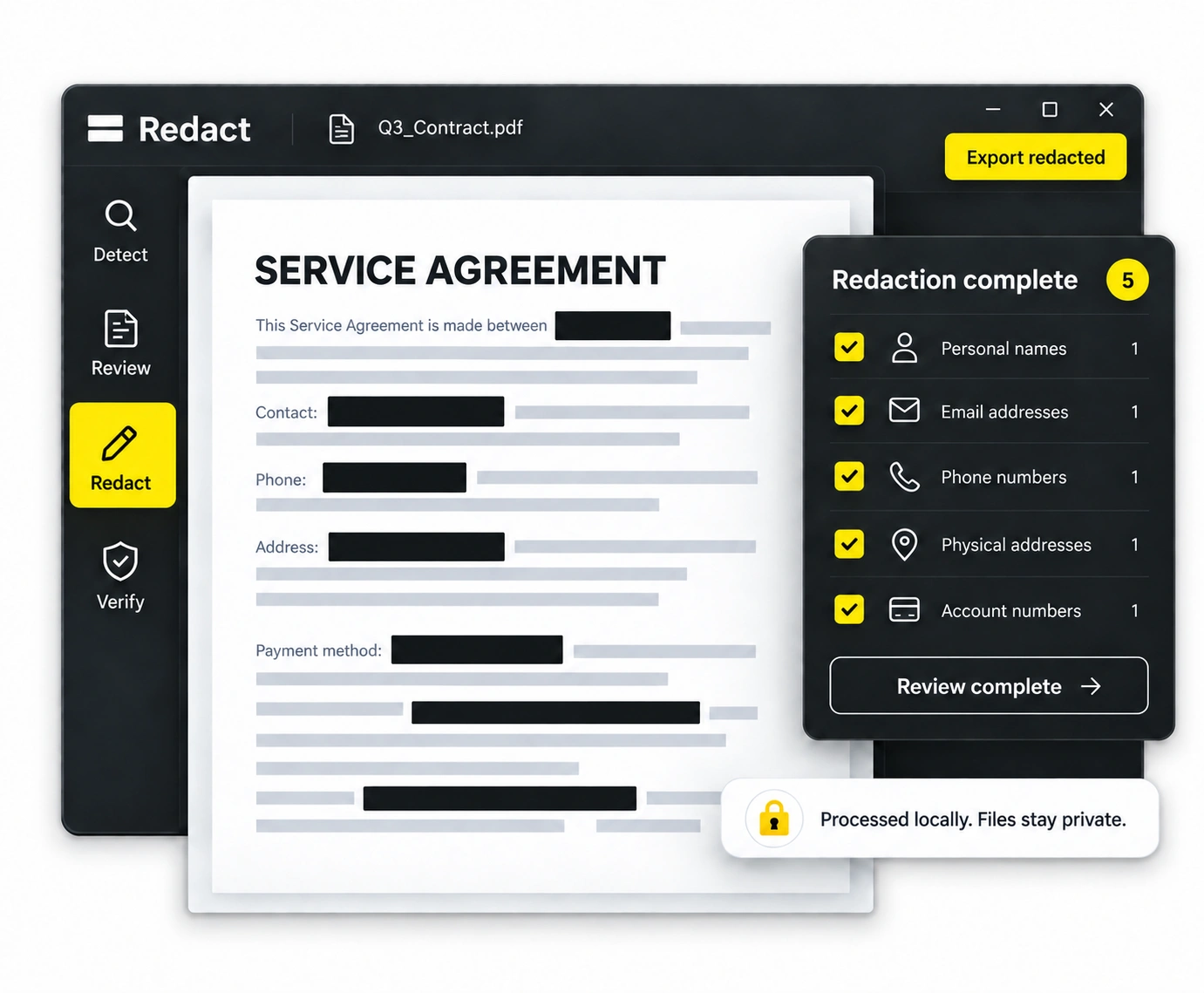
How DocHush works
Three steps, all on your computer. Signing in, buying pages and updates are the only things that need an internet connection.
Detect
Open a PDF. Local models and pattern rules propose names, contact details, account numbers and other identifiers, including text recognised on scanned pages.
Review
Accept or reject each candidate in context, search for words you need removed and add your own marks for anything detection missed.
Export and verify
Approved areas are burned into rebuilt page images and written to a new, image-only PDF. DocHush reopens the saved file and checks the approved regions.
Plans and pricing
Start free. Pay only for the pages you need, or go unlimited for a year. Every plan includes the same detection, OCR, review and verification.
Free
$0
One-time allowance of 5 pages
No credit card. Sign in or create an account in the app.
20-Page Pack
$9one-time
20 pages, one-time payment
Unused pages never expire. Top up whenever you need.
100-Page Pack
$29one-time
100 pages, one-time payment
Unused pages never expire. Top up whenever you need.
Annual Plan
$79per year
Unlimited pages for one person
App and model updates included. Cancel the renewal anytime.
Pages count only after a verified PDF is saved, and pages already saved in the same project are not charged again.
Checkout and accounts are provided by iToolPaw. Pages and plans belong to the account used at checkout, so sign in to DocHush with that account. Manage your annual renewal in My Account.
Guides and resources
Documentation, release notes and a free browser tool for a second check of any redacted PDF are published on dochush.com.
Help and account
Product questions and setup help: contact DocHush support at support@dochush.com. Your orders, invoices and annual renewal are managed in your iToolPaw account.